Virtual Card

When an enterprise purchases an order on a retail platform or supplier channel, one of the most common situations will occur: the purchasing colleague says “it has been purchased”, the finance department says “I saw an order on the account but I don’t know which order it corresponds to”, and the warehouse says “one box is missing”. When the refund occurred, everyone started looking for payment screenshots.
Virtual cards are more suitable as “order boundaries” in the procurement process. Not all orders must have a single card, but each card should at least let people know which purchaser, which type of supplier or which batch of orders it serves. Once limits, approvals and vouchers are mapped, purchasing does not need to be recalled through chat records.
Let’s be clear first: whether a merchant can pay is not a unilateral decision by the card platform.
Payment support from merchants or platforms such as Amazon, Walmart, and Target will be affected by account location, products, order types, merchant risk control, billing information, card types, and card issuance rules. Before purchasing, enterprises should check the current payment page and the service provider’s rules, and should not regard any article as a guarantee that “payment will definitely be possible.”
You cannot use untrue billing information, fictitious delivery information or circumvent regional restrictions to try to place an order. Enterprise procurement requires a reconciliation, refundable, and sustainable process, not a one-time fluke payment.
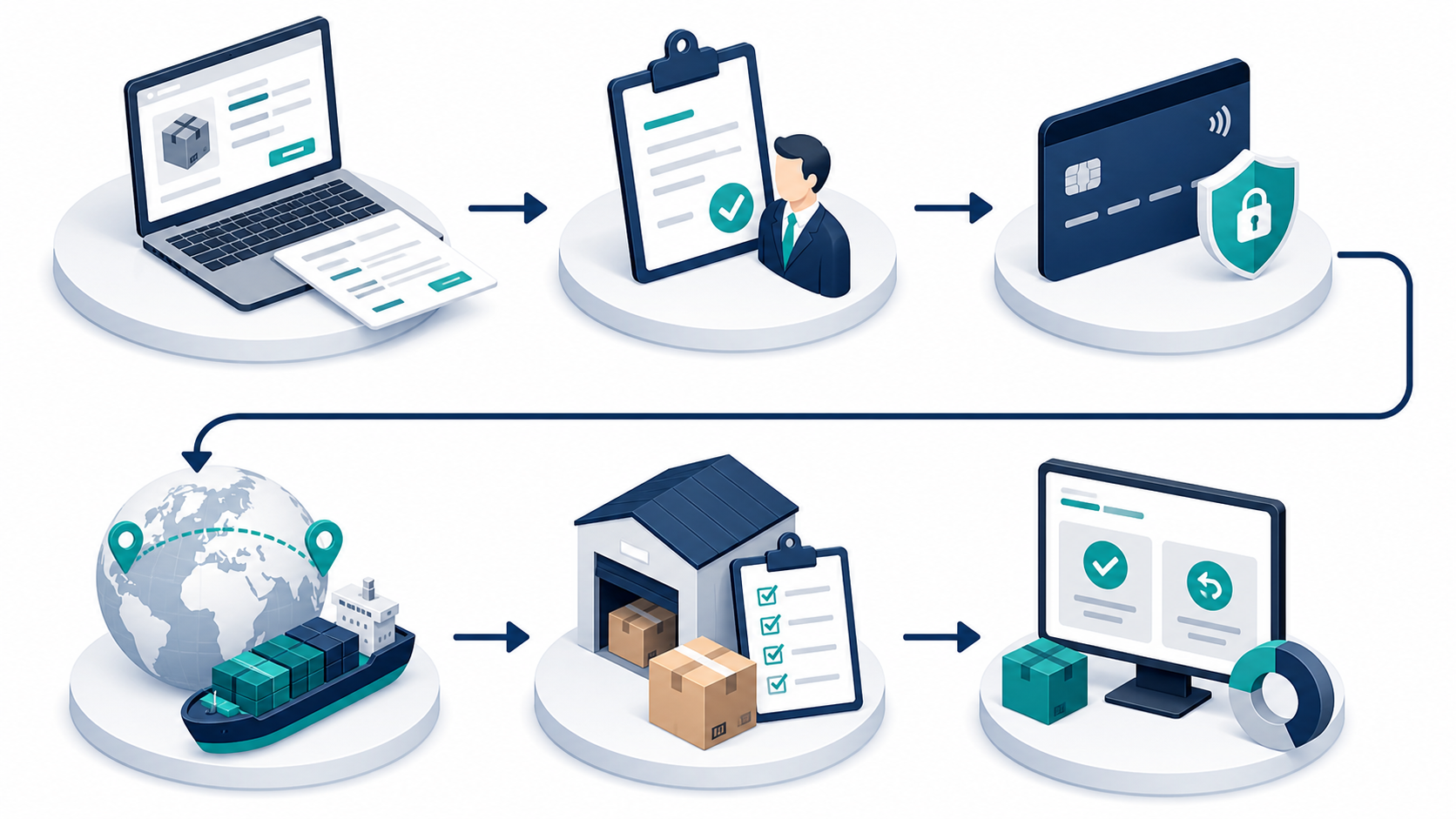
A purchase is recommended to go through five nodes
| Node | What should the purchasing manager do? | What should finance/managers confirm? |
|---|---|---|
| Purchase Request | Write down the purpose, supplier, estimated amount, and delivery time | Whether it is within the budget and whether approval is required |
| Card allocation | Use designated purchasing cards or apply for temporary limits | Whether the card purpose, person in charge, and upper limit match |
| Merchant Payment | Check the final amount, taxes and billing information | Whether the card tail number and order number are recorded? |
| Receipt and acceptance | Save order, logistics and acceptance documents | Whether the payment amount is consistent with the actual delivery |
| Refund/Dispute | Initiate and track status according to merchant process | Whether the refund will be returned to the original payment route and when it will be credited to the account |
How to set the limit so that the process will not get stuck and lose control
Don’t just fill in the purchase card limit based on the amount of the product. Allow for reasonable buffers for taxes, shipping, pre-authorizations, or price adjustments, but don’t put your entire monthly budget on one daily purchase card.
An executable method is:
- Regular replenishment: Set a single upper limit based on common order ranges, which will be used by the person in charge of purchasing;
- Large or temporary purchases: Approval first, then temporarily increase the limit, and restore it after completion;
- High refund risk orders: Use a dedicated card label that is traceable and identify the person who verifies the refund;
- Multi-person team: Use different cards or labels for each person to avoid sharing complete card information.
The voucher is not to “leave one more screenshot”, but to be able to correspond
Each order saves at least the order number, merchant/supplier, purchaser, payment date, final amount and currency, card tail number, receipt or delivery voucher. For orders involving refunds, the refund application time, merchant refund number and card side status will be added.

If the merchant has processed a refund but it has not yet appeared on the card, do not submit duplicate refund requests. Confirm the refund method, the original card status, the merchant refund reference and the expected processing period, then contact the relevant party according to its service rules.
Purchase and Payment Checklist
- □ Confirmed payment rules for merchants, account regions and order types
- □ Purchase requisition includes purpose, supplier, budget and person in charge
- □ The purpose of the card matches the order type, and the limit has a reasonable buffer
- □ Billing information comes from information provided by the card or service provider
- □ Saved order number, card tail number, final amount and delivery voucher
- □ Refunds will be followed up by fixed personnel and the merchant’s refund number will be recorded
- □ Do not use fictitious information or circumvent regional rules to complete payment
- □ Check transactions, orders and refund status one by one at the end of the month
For the procurement team, the convenience of virtual cards is not only fast online payment, but also the gathering of information originally scattered among procurement, finance and warehouses into one transaction that can be traced.
Reminder: The payment methods, account regions, taxes and refund procedures accepted by a merchant are determined by its rules and are subject to change. This article does not constitute a commitment by any retailer, supplier or card service availability.
Related reading:2026 Cross-border Enterprise Procurement VCC Guide: Limits, Approval, Reconciliation and Refund SOP | Cross-border Enterprise Procurement VCC Management Guide: How to do supplier payment, refund, approval and reconciliation | Corporate virtual card monthly reconciliation template: how to count recharge, consumption, refund, and chargeback
Virtual Card
Original article by Virtual Card Reviews & Cross-Border Payment Guides. If republishing, credit the source: https://visaspay.com/en/amazon-walmart-target-corporate-purchase-payments-how-to-manage-limits-vouc/