Virtual Card
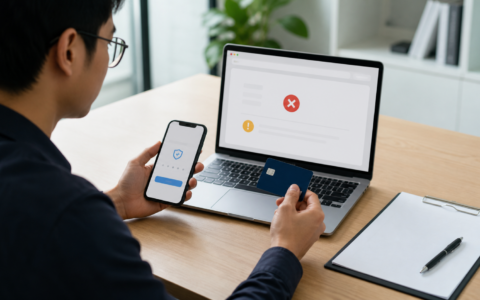
When many people encounter payment problems in the App Store, their first reaction is to immediately find a “virtual card that can be bound to a US Apple ID”. But what really takes time is often not opening the card, but discovering after opening it: the account region does not match, the balance seems to be sufficient but the available balance is insufficient, the billing information is filled in incorrectly, or there are multiple pending verifications after continuous attempts.
When choosing an Apple ID virtual credit card, the core is not to find a “universal card”, but to match the account region, payment information, card attributes and actual consumption needs. Especially users who also have to pay for ChatGPT, software subscriptions or overseas services should use payment methods as long-term expense management tools rather than one-off luck.
Reminder: This article only discusses compliance payments and payment management. Please use payment information that matches your account information and the rules of your region; virtual cards cannot be used to circumvent Apple, card issuers, merchants, or local laws.
1. Background: Why does Apple ID payment require trial and error?
The App Store payment process is deceptively simple: add a payment method, enter card information, and confirm purchase. But there are more factors that really affect the result than “whether the card number exists.” Apple ID has its own country or region settings; cards also have issuing regions, card types, billing information and transaction rules. In addition, different applications may be one-time purchases, in-app consumption or automatically renewing subscriptions, and the same card may not perform the same in different scenarios.
Therefore, what users really need to solve is not “where to open a card”, but: whether the account area matches the payment needs, whether the card is suitable for subsequent subscriptions, whether the balance covers the product amount and verification amount, and when it fails, whether it should check the Apple page, merchant order or card backend.
2. Pain point: You should not change the card every time you fail.
Only look at “can open a card”, not follow-up management
Some users only focus on getting the card number quickly, but do not confirm the recharge, balance, transaction records, refund and card suspension rules in advance. After the payment failed or the subscription was abnormally deducted, I found that I could not determine the transaction status and did not know where the balance went.
The total balance is sufficient, but the available balance is not.
When binding a card or paying, some merchants may initiate small-amount verification or pre-authorization. The total balance shown on the account may not be immediately available for payment; if there are pending transactions, frozen amounts, or platform fees, the available balance may be lower than expected.
Continuous retries make the problem more complicated
If you keep clicking “Retry” after payment failure, multiple verification, pending or repeated authorization records may be generated. The correct approach is: after each failure, save the error message, order time, amount and card background status before deciding on the next step.
3. Solution: Follow these 4 steps to complete the payment test
Step 1: Confirm the account region and purchase type of Apple ID
Before payment, confirm the current country or region of Apple ID, whether this is a one-time purchase or automatic renewal, whether there are already available payment methods, and whether there are other overseas subscription requirements. If it is just a one-time purchase, there is no need to recharge too much at one time; if it is a long-term subscription, a reasonable balance should be reserved and the next renewal date should be recorded.
Step 2: Read the current rules of the platform before registering
No matter which virtual card platform you choose, it is recommended to first check: whether the card can currently be opened, recharge methods and payment rules, card opening and transaction fees, card status and limit management capabilities, transaction records, refund rules and customer service channels. Don’t make decisions based solely on old tutorials or other people’s screenshots. Use the real-time background display as the basis.
Step 3: Stick to small-amount testing for first time use
- Recharge a reasonable small amount of funds first;
- Confirm that the card is activated and in normal status;
- Check Apple ID region and billing information;
- Conduct only one clear and traceable payment test;
- Save order number, payment amount, currency and screenshots;
- Check whether there are pending, completed or declined transactions in the card background.
Step 4: Manage App Store spending separately
If you will purchase apps, subscription game services, AI tools or overseas software for a long time, it is recommended to record the merchant or service name, payment purpose, amount and currency, renewal date, last four digits of the card and transaction status. In this way, even if abnormal deductions, refund delays, or insufficient balance occur later, the problem can be quickly located.
Apple ID card binding or payment failed, what should I check first?
- Whether the current country or region of Apple ID is consistent with the payment requirements.
- Whether the name, billing address, zip code and other information are filled in as required on the page.
- Whether the card number, validity period and security code are entered correctly.
- Whether the available balance on the card covers the amount, taxes and possible verification deductions.
- Whether the card is in normal status and whether there are limits or pending transactions.
- Whether the Apple page gives specific error prompts.
- Whether repeated verification or risk control prompts are generated due to multiple consecutive attempts.
Apple ID Virtual Credit Card: 5 questions you need to know before buying
1. Can a virtual credit card be bound to an Apple ID?
Not guaranteed. Apple ID region, billing information, card type, account status, balance, and Apple’s current verification rules may all affect the results.
2. Why does the payment fail even though there is a balance in the card?
The total account balance is not equal to the available balance. Pending authorizations, platform fees, verification deductions, limits, or recharges not received may result in insufficient available balance.
3. After payment fails, should I change the card immediately?
Not recommended. First check the account area, billing information, card information, balance, transaction status and error message. Blindly changing cards may increase costs and cannot solve the problem of mismatched account information.
4. What should you look at before opening a card?
Prioritize whether the card is suitable for your target payment scenario, and then look at the recharge method, card opening and transaction fees, balance management, transaction records, refund rules and customer service channels.
5. After the Apple ID payment is successful, can I check it immediately?
Depends on consumption type. After the one-time purchase is completed, you can decide whether to deactivate it according to the platform rules; if there is automatic renewal, subscription or subsequent deduction, closing the card prematurely may cause the renewal to fail.
Summary
The Apple ID virtual credit card is not a “universal payment card”, but a tool that makes it easier to manage overseas online spending. First confirm the Apple ID region and consumption needs, and then compare the platform’s card opening, recharge, fees and card management capabilities; insist on small-amount testing for the first time, and troubleshoot in order when it fails, which can reduce ineffective trial and error, and is more suitable for long-term management of App Store, AI tools and overseas subscription consumption.
Virtual Card
Original article by Virtual Card Reviews & Cross-Border Payment Guides. If republishing, credit the source: https://visaspay.com/en/how-to-choose-apple-id-virtual-credit-card-dont-be-in-a-hurry-to-bind-the-c/