Virtual Card
Information verification time: September 28, 2026. ChatGPT’s functions, package limits, and entrances will vary depending on the account, region, device, and workspace settings. This article focuses on what repetitive work can really be saved in long-term tasks, as well as the permissions and boundaries that should be confirmed before use. Special note: ChatGPT group chats have stopped creating and joining. The group chat screenshots in this article are only for historical interface review and are no longer current operation tutorials.
Background: ChatGPT is expanding from single Q&A to ongoing work
If you often use ChatGPT for writing, research or team information, you may recognize this cycle: every new conversation requires you to explain the background, files, tone and goals again. A different task starts the process over. The tool can answer questions without necessarily maintaining the continuity of long-term work.
Projects, Library, Memory, Scheduled Tasks and Connected Applications respectively try to solve problems such as project context, file reuse, personal preferences, regular follow-up and external data access. They are not a “fully automated system” that must all be enabled; it is more practical to select only the features relevant to the task at hand and gradually form a workflow.
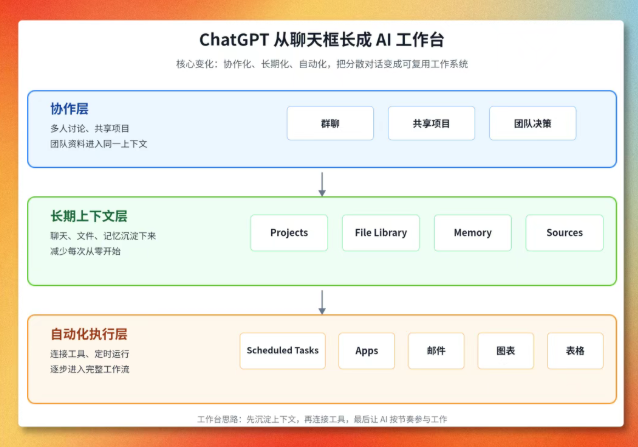
Pain points: Information is explained repeatedly, files are difficult to reuse, and memories may be out of date.
The most common inefficiency is not necessarily that the prompt words are not written well enough, but that work materials are scattered across different chats, folders, and tools. Conversations end as soon as the context is established; documents are not found after being asked once; old preferences are remembered in long-term memory and interfere with new tasks. When collaborating in a team, you also need to consider who can see the shared content and what permissions external applications have.
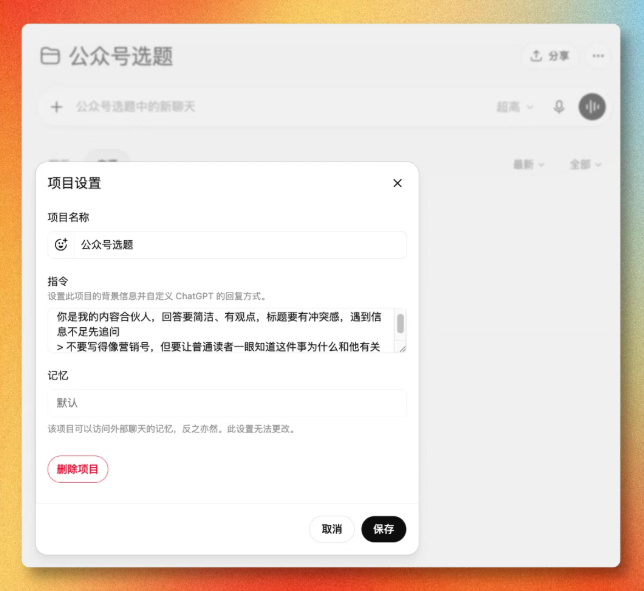
Projects can put chats, files and project instructions for the same task together, suitable for continuously updated content planning, product research or course materials. Project instructions may describe output formats, audiences, and review criteria, but they are not a substitute for fact-checking and should not include secret keys, customer privacy, or unnecessarily sensitive information.
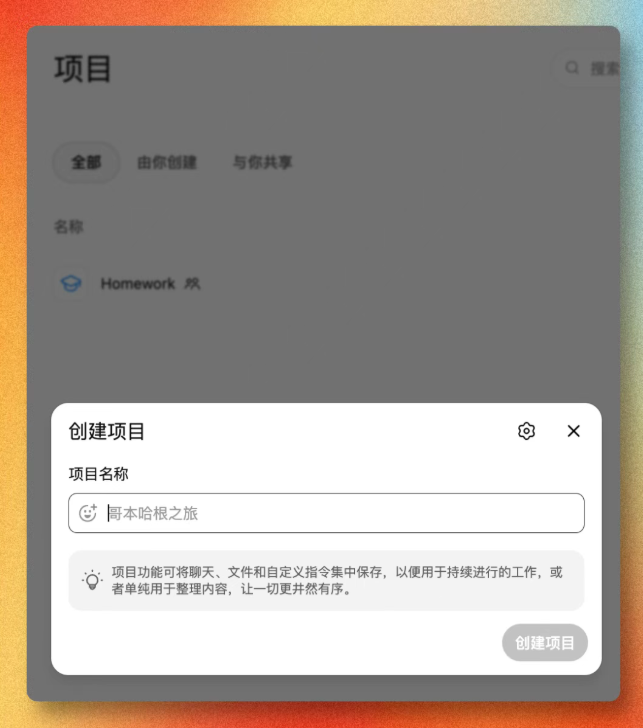
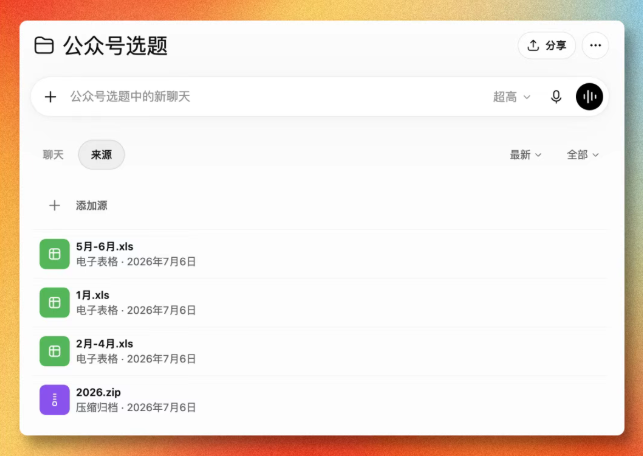
For example, the content team can create a “topic and article selection” project to centrally save account positioning, reader portraits, published articles, banned expressions, and monthly reviews. When you later ask ChatGPT to title or change the beginning, you can continue within the same project context without having to repost the entire set of backgrounds each time.
Project instructions can be written in a specific and checkable way, for example: “List the conclusions and basis first; indicate uncertainty when unsure; explain terms to novices; check numbers, links and update times before publishing.” This is easier to get stable results than just “Write professionally”.
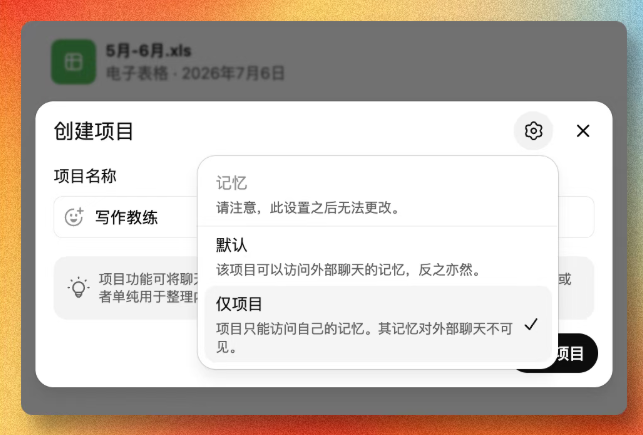
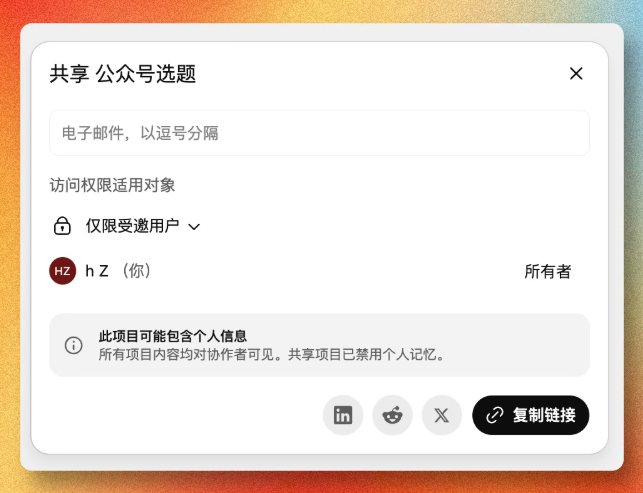
Shared projects are suitable for work that really needs to be viewed and advanced together; participants, roles and file scope must still be verified before sharing. Project memory settings are also important: the official description states that shared projects use project-specific memory and will not read members’ personal memories or context outside the project. Can be referenced OpenAI Projects official description.
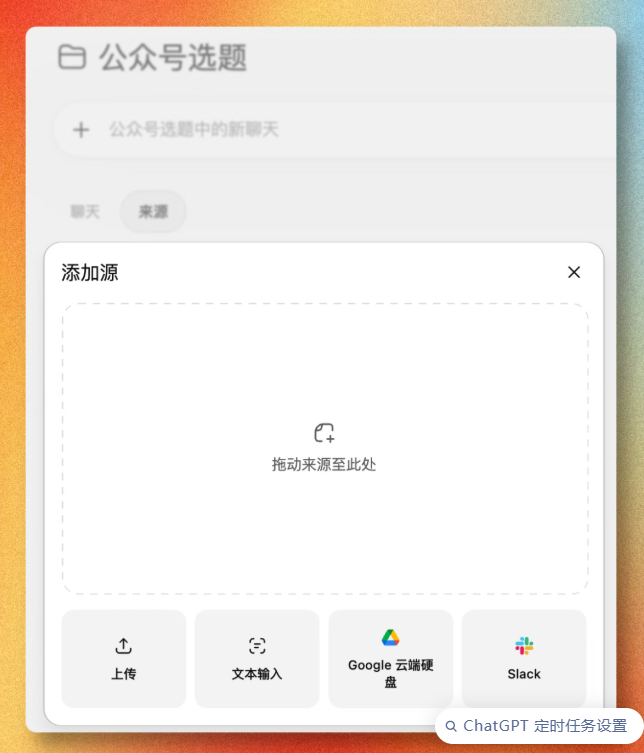
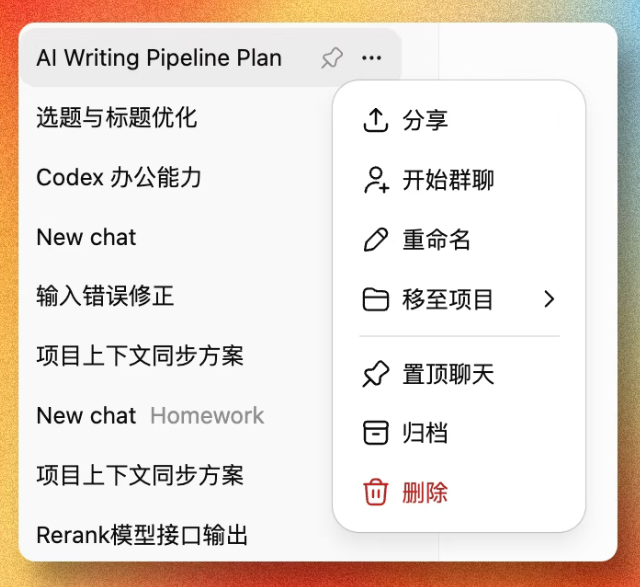
Chats that meet the conditions can be moved into projects to facilitate centralized management; however, whether they can be moved will be affected by the chat type, project memory settings, and workspace restrictions. Not every conversation can be transferred unconditionally.
Personal memory also needs boundaries. It might be easier to ask an AI to remember long-term writing preferences, but the memory is not guaranteed to cover every detail and may become outdated as the job changes. For sensitive projects, it’s a good idea to limit the information that can be accessed, check memories and files regularly, and delete or turn off related settings when needed.
Current situation: File libraries, memories, tasks and Apps each have different boundaries
Library: Files can be reused, but the quota and retention rules depend on the account
ChatGPT Library can save uploaded or created files for easy search and reuse later; it is not the same thing as the attachment quota for a single conversation. The Library storage space currently listed in OpenAI’s help information is as follows. The actual qualifications and restrictions are still subject to the display in the account and the official page:
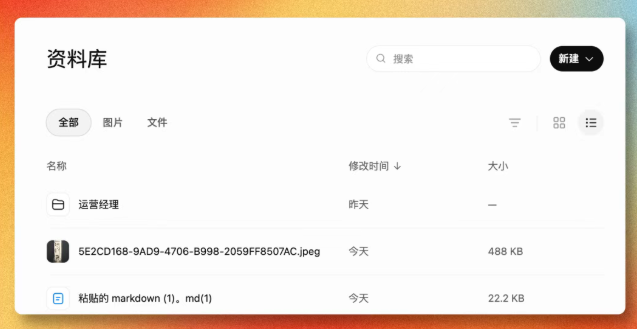
| Set meal | Library storage quota (official current help information) |
|---|---|
| Free | 500 MB |
| Go | 4 GB |
| Plus / Business | 20 GB |
| Pro | 100 GB |
The file can be called again, but it does not mean that ChatGPT will automatically read the entire Library every time it answers. When asking questions, state which data to use, the time range, and the output target; also confirm the file content, account number, and data control settings before saving. Please check the quota and single file upload limit.OpenAI Library and file storage instructions.
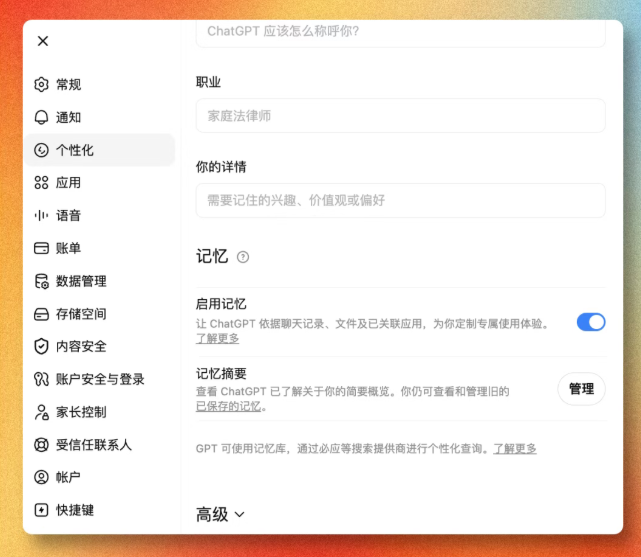
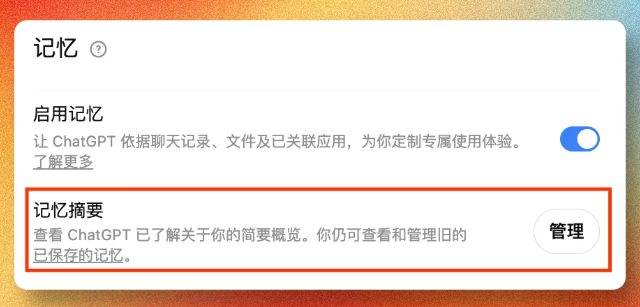
Memory: Personalization helps, but not a complete profile
Memory can reduce repetitive communication by using relevant preferences and context when the feature is available and settings allow it; it does not remember everything in every conversation. It is recommended to retain only information that is stable and truly helpful for subsequent use, and to regularly review and correct inaccurate or expired memories. The official also stated that the memory source and control will vary depending on the package, region and workspace settings. For details, see OpenAI Memory Description.
Scheduled Tasks: suitable for reminders and regular organization, does not mean unsupervised
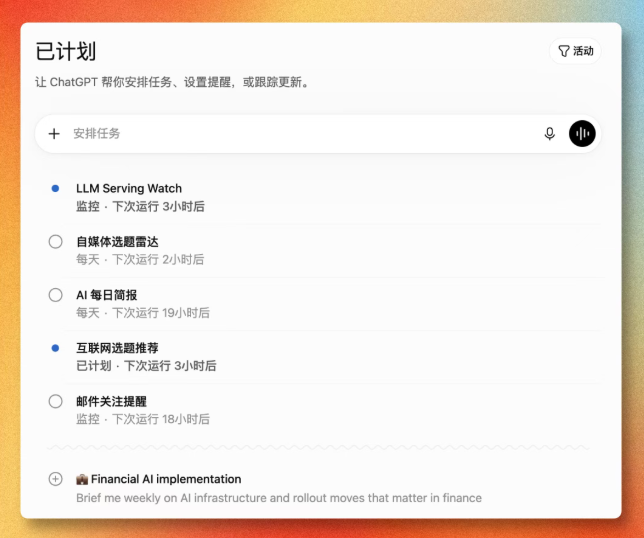
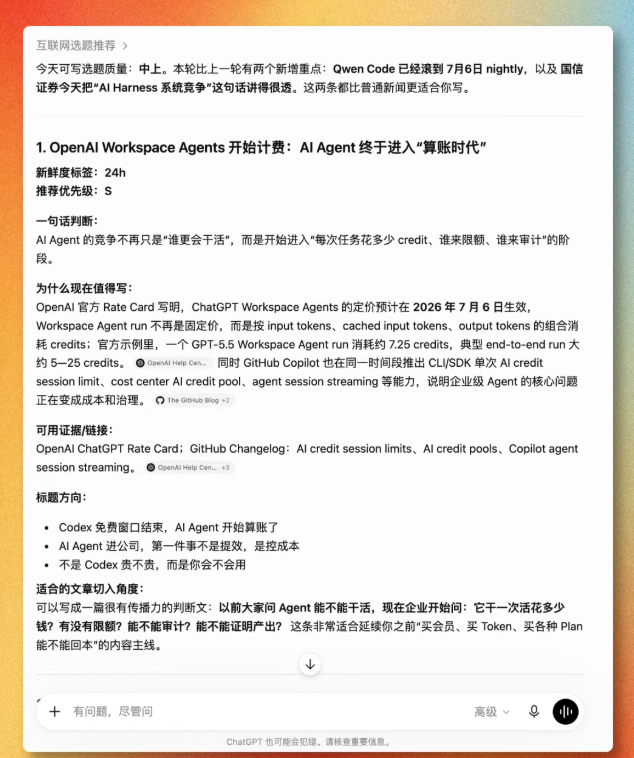
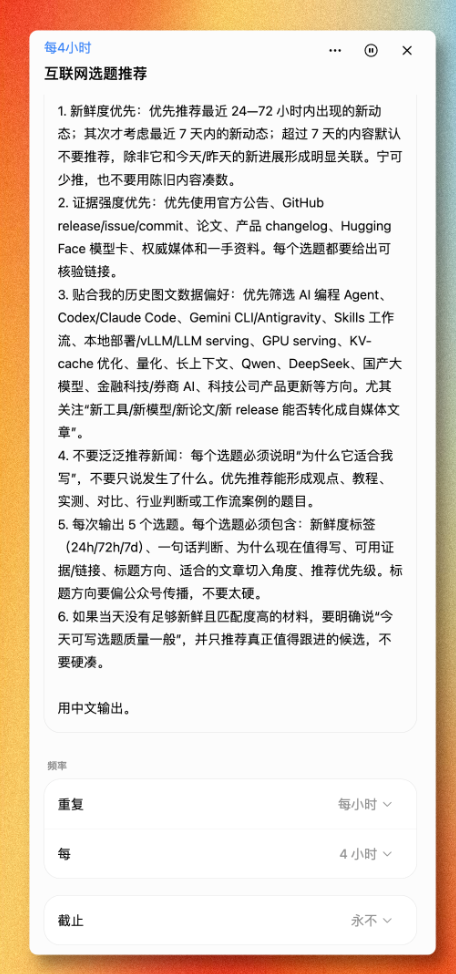
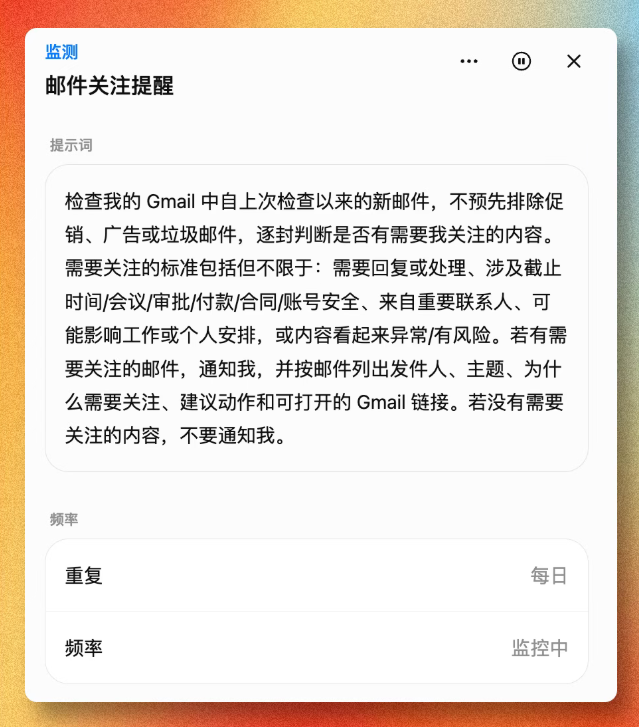
Eligible accounts can use Scheduled Tasks to arrange one-time or recurring tasks, such as weekly summarization of industry trends, reminders to check subscription expenses, or organizing to-dos. Availability, execution frequency, notification methods, and connected app support may be affected by plan, region, and workspace management. After the task is completed, the source and result should still be checked; if the task needs to access project files or external data, first confirm whether the task has the corresponding access capabilities, and it cannot be assumed that it inherits the data permissions of the entire project. See the current rules OpenAI Scheduled Tasks Description.
It’s safer to start with a low-risk, reviewable reminder than to have tasks automatically change accounts or send content right out of the gate.
Apps: Before connecting to the service, first check what can be read and what can be done
After connecting to the application, ChatGPT can search and summarize some third-party data within the authorized scope of the user and workspace; individual applications also support execution of operations after confirmation. App availability varies by plan, region, workspace role, model, and interface. Check the service provider’s authorization scope carefully before connecting; disconnect when no longer needed, and remember that disconnecting will not automatically delete content that has been referenced in past chats. Please refer to OpenAI Connected Apps Description.
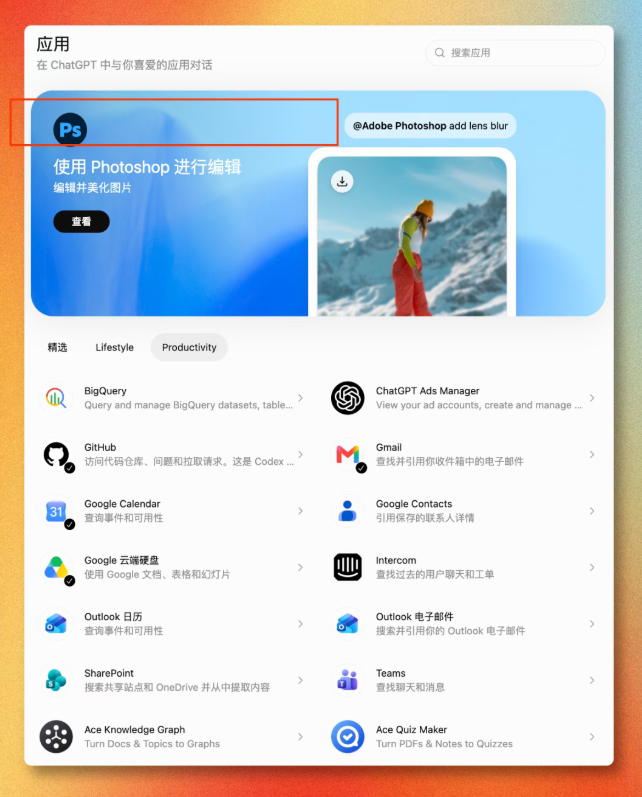
If the application allows writing to external services, start with read-only queries. Actions such as creating a schedule, updating a document, or sending a message should check the destination, content, and permissions before execution; don’t assume that just because it’s “connected” that subsequent actions don’t require confirmation.
Solution: Start with a project and gradually build a controllable workflow
- Select a recurring task to build a project. Put in the goals, audience, commonly used files, output formats and review standards; keep only the parts needed to complete the task.
- Distinguish between project data and personal memories. Project content is used for this task; Memory only leaves stable preferences. Check and clean up expired information every once in a while.
- Treat files as reusable assets. Use clear file names and dates to manage versions, and specify the materials to be cited when asking questions; confirm organizational rules and data control settings for sensitive content such as contracts and customer data.
- Schedule low-risk tasks first. Start with reminders, summaries, and to-dos, check the results once, and then decide whether you need to connect to the app. When a task requires a file or application, confirm permissions and accessible scope item by item.
- Shared projects are preferred for team collaboration. Clarify member roles and visible information, and keep important decisions in records approved by the team; double-check recipients and content before sharing external links.
About group chat: You can refer to old screenshots, but the function has stopped creating new ones.
This article was originally published with an introduction to Group chats. According to the official instructions of OpenAI’s July 2026 update, starting from July 9, 2026, users can no longer create or join group chats, nor can they convert existing personal conversations into group chats; previous group chats will be temporarily retained during the transition period, and will gradually become read-only later. The two screenshots below are the old pilot interfaces and are for historical comparison only. Do not click on the pictures to find the current “Start Group Chat” entrance. Teams can now evaluate available collaboration options, such as shared Projects, and confirm specific plans and workspace permissions. For detailed status, see OpenAI’s announcement about stopping group chat.
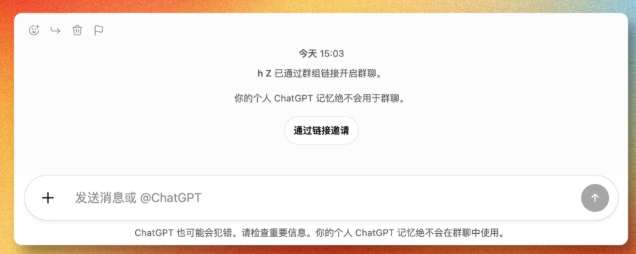
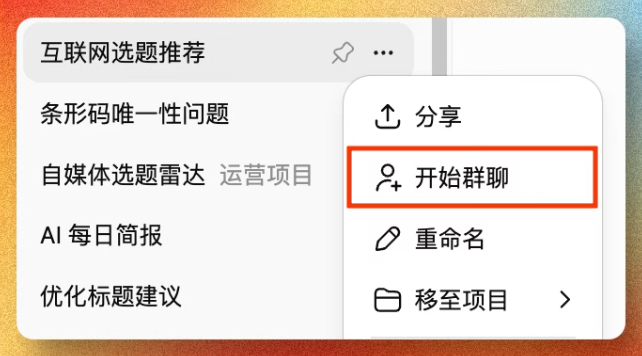
Before sharing a project, you should also check the member permissions and data scope; if you only need individuals to continue working, you can first organize important conclusions into the project description instead of forwarding historical chat links to the team indiscriminately.
Conclusion: What is updated is not the prompt word, but the working method
ChatGPT’s capabilities are indeed expanding, but each tool has its own data scope, plan limits, and permission boundaries. Projects helps you continue long-term tasks, Library facilitates the reuse of files, Memory reduces repeated transfers, Scheduled Tasks is suitable for reminders and routine organization, Apps can connect to approved external data; for team collaboration, priority is given to checking whether shared projects meet needs. It is usually less troublesome to start with a low-risk task first and then add functions according to the actual effect than to connect all the tools at once.
Virtual Card
Original article by Virtual Card Reviews & Cross-Border Payment Guides. If republishing, credit the source: https://visaspay.com/en/chatgpt-has-changed-but-the-way-many-people-use-it-is-still-stuck-in-the-pa/