Virtual Card
Who is it suitable for: Individuals and teams who pay for Facebook, Google or TikTok advertising accounts. Let me give the conclusion first: Advertising payment cards should not only look at “can the card be opened”, but also must match the billing country/region, settlement currency, payment method, card type and continuous deduction requirements of the advertising account.
Update time: July 31, 2026. This article does not guarantee that any platform or card product will be available. Advertising platforms, card issuers and acquiring banks may reject transactions due to region, account status, card type or risk control strategy; please do not use virtual cards to bypass platform regions, identity verification or advertising policies.
Background: Why can’t advertising payment cards just look at “whether it can be opened?”
The delivery must be stable, and the payment tool must match the information of the advertising account, settlement logic, and continuous deduction requirements. Using only “fast card opening” as a standard will often encounter interruptions when verifying deductions, consumption thresholds or automatic renewals.
Pain point: Check the payment mode first, then choose the card
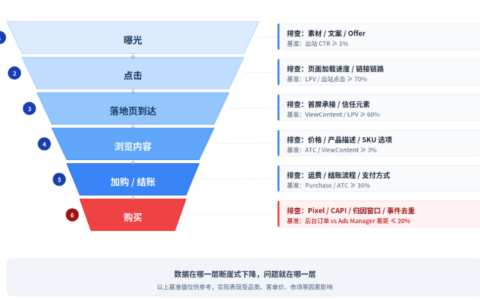
Confirm advertising account billing information → Confirm manual/automatic payment → Check card type with 3DS → Set quota and backup plan → Small amount will be released after verification → Check consumption every day
| Items to check | Why is it important? | Correct approach |
|---|---|---|
| Billing country/region and currency | Decide on visible payment methods | The advertising account payment information shall prevail, and the subject information shall not be mixed. |
| Manual or automatic payment | Decide whether the deduction will continue | Automatic deduction with sustainable limit and validity period management |
| 3DS/verification capability | Some transactions will trigger additional authentication | Confirm that the card issuer can complete the necessary verification |
| Billing address and card information | Inconsistent information may lead to refusal of payment | Submit information that is true, verifiable, and consistent with your account |
| Quota and backup plan | Avoid advertising interruption when consumption reaches the threshold | Set up reasonable balances and authorized backup methods |
Current situation: The billing rules of the three platforms are not exactly the same
Google Ads: The payment method will change according to the business address, currency and account settings. According to Google’s official description, a single virtual credit card can be used for eligible payments, but prepaid cards are not accepted for automatic payments; the actual options are subject to the options available in the account.View Google Ads official payment method instructions.
TikTok Ads: Its Ads Manager/Business Center requires a valid payment method, and the scope of support and billing options depend on the account and region; adding or updating methods should be verified in Billing/Payment.View TikTok for Business official instructions.
Facebook/Meta: The payment method displayed on the Billing & payments page of the advertising account shall prevail. First ensure that the advertising account owner, billing information and permissions are complete before dealing with card problems; do not frequently replace multiple cards after failure to avoid making the problem more difficult to locate.
Solution: How to manage costs and risks in advance
| Project | Controllable method | Risks that cannot be ignored |
|---|---|---|
| Advertising consumption | Ad group budget + total VCC cap | Threshold deductions or consumption exceeding expected |
| Verification of deductions | Reserve space for small amount verification | The balance is exactly equal to the advertising amount and the verification failed. |
| Exchange/service fees | Check the service provider’s rules and settlement currency in advance | Only look at the nominal rate and ignore exchange or refund conditions. |
| Risk of disruption | Authorized backup payment methods and alerts | Main card failure caused ads to suddenly stop running |
Checklist before execution
- The advertising account subject, billing address, currency and payment information are consistent and true.
- The card limit covers advertising fees, taxes and possible verification amounts.
- The automatic payment scenario confirms that the card will not expire or become invalid before the charge date.
- Turn on consumption reminders and designate the person responsible for handling chargebacks.
- Save payment success records; any refunds or disputes will be first located in the platform bill.
Further reading:View virtual card review | View KYC/KYB and important risk instructions | Check service provider fees and applicable conditions
Virtual Card
Original article by Virtual Card Reviews & Cross-Border Payment Guides. If republishing, credit the source: https://visaspay.com/en/how-to-choose-a-virtual-card-for-facebook-google-tiktok-advertising-3ds-bil/